 AppGrout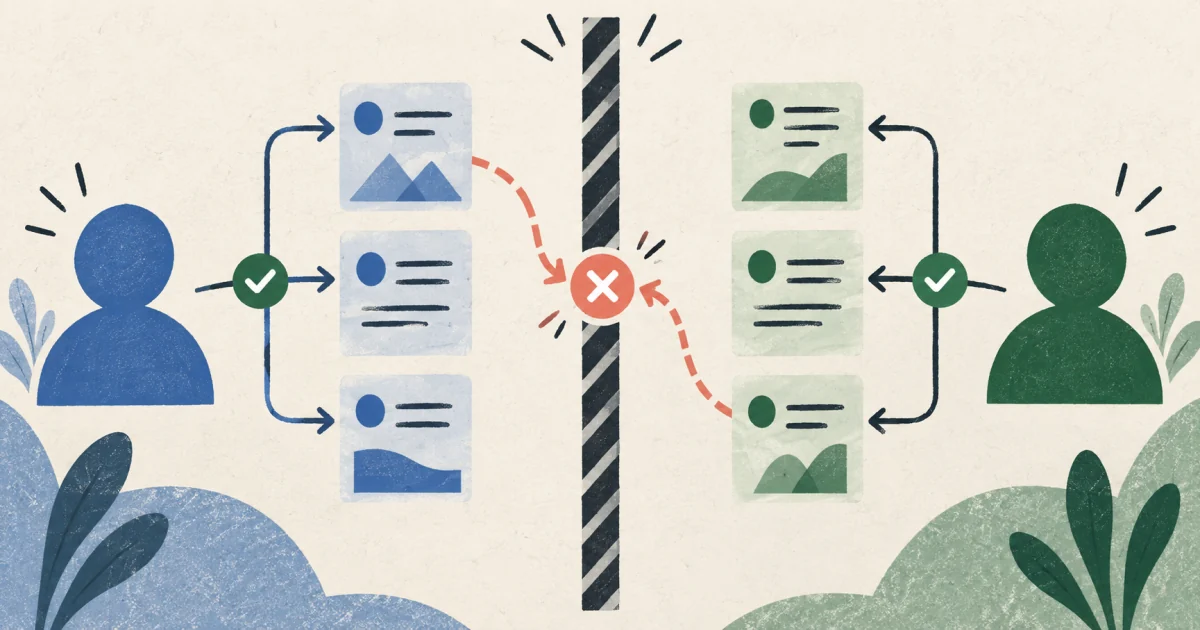
The layers
Client configuration identifies a project; it does not grant permission
Firebase web configuration—values such as a project ID, app ID, auth domain, and API key—is normally present in the client. Those values route the SDK to the correct project. They are not a substitute for access control.
Data protection depends on several layers working together. Review each layer according to the job it actually performs instead of expecting one setting to cover everything.
Firebase Authentication
Establishes a user identity and makes identity information available to rules.
Security Rules
Enforce access for client SDK requests to the relevant Firebase product. Firestore, Realtime Database, and Cloud Storage use separate rule systems.
App Check
Helps reduce requests from unauthorized clients. It complements, but does not replace, identity and per-resource authorization.
Server credentials and IAM
Govern privileged services such as Admin SDK code. These paths bypass client Security Rules and must enforce their own business permissions.
Do not try to protect user data by hiding standard Firebase web config. Do protect service-account material, payment keys, email-provider secrets, and other privileged credentials by keeping them out of browser and mobile bundles.
The core test
Test User A against User B’s data
Begin with the product’s intended policy in plain language. For example: “A customer can read and update their own profile, but cannot list or change another customer’s profile.” Turn each statement into an allow case and one or more deny cases.
| Actor | Target | Action | Expected result |
|---|---|---|---|
| Signed out | User A record | Read, list, create, update, delete | Deny unless the product explicitly supports public access |
| User A | User A record | Permitted customer actions | Allow only the fields and operations the product intends |
| User A | User B record | Read, list, update, delete | Deny unless an explicit shared-resource or staff policy applies |
| User A | New record claiming User B ownership | Create | Deny; ownership should come from a trusted identity check |
| User A | Existing User A record | Change owner, tenant, role, or protected fields | Deny unless that transition has a deliberate privileged workflow |
| Authorized team member | Shared team resource | Read or update within assigned role | Allow only while membership and role conditions are satisfied |
Test operations and field transitions—not only paths
A rule may correctly protect a document path and still permit an unsafe update. Compare the existing resource with the proposed resource: which fields were added, removed, or changed? Ownership, tenant, role, approval state, price, credit, and deletion markers often need stricter transitions than ordinary content fields.
Also test queries. Cloud Firestore rules are not filters: a query must be constrained so its possible results satisfy the rule. A successful single-document read test does not establish that list and search behavior is correct.
Repeatable testing
Use the Emulator Suite to exercise allow and deny cases
The Firebase Local Emulator Suite lets a test client exercise local services and rules without using production customer data. Pair the Authentication emulator with the database or storage emulator relevant to the app, then run requests as known test users.
- 01
Use an isolated Firebase project configuration
Point the test client to local emulators so tests do not read or modify production data. Keep the emulator wiring visible and deterministic.
- 02
Create known identities and records
Seed at least User A, User B, and any role that has additional access. Give each user records whose ownership and tenant are unambiguous.
- 03
Run requests through the client SDK
Exercise the same request shape the product uses while authenticated as each test identity. Assert both allowed behavior and expected denials.
- 04
Reset state between cases
Clear and reseed data so one test cannot accidentally make a later test pass. Keep test names tied to a row in the access matrix.
- 05
Verify the deployed environment separately
The emulator makes rule tests fast and repeatable; it does not prove that the same file reached production or that every privileged server path is safe.
A readable test name
User A cannot update User B’s invoice statusA name like this records the actor, denied action, target, and protected field. It is more useful during review than a generic label such as “security test 4.”
Frequent gaps
Common Firebase authorization pitfalls
01Checking only that someone is signed in
A condition based only on the presence of request.auth separates anonymous users from signed-in users. It does not separate User A from User B. Include an ownership, membership, or role condition appropriate to the resource.
02Hiding records in the interface
Client-side filters and hidden buttons shape the experience; they are not authorization. Test direct SDK and network requests without relying on what the interface displays.
03Letting the client assign protected fields
If a client may set ownerId, tenantId, price, status, or role, validate both the value on create and whether it may change on update. A record that starts valid can become unsafe through a later write.
04Assuming rules filter an unsafe query
Cloud Firestore evaluates a query against its potential result set. Rules do not remove forbidden documents after the query runs. The query constraints and the rules must be compatible.
05Testing get but forgetting list
A single-document read and a query expose data differently. Exercise both, along with create, update, and delete. Include collection-group queries if the product uses them.
06Treating App Check as user authorization
App Check can help the backend distinguish requests from an attested app or device. It does not decide whether the current user owns a record and does not replace Security Rules or server authorization.
07Forgetting privileged server paths
The Firebase Admin SDK and Google Cloud server credentials use privileged access and do not rely on client Security Rules. Server handlers, scheduled jobs, and webhooks need their own authorization and validation.
08Testing one rules file but deploying another
Local tests only support the release decision when you know which rules and project were deployed. Record the environment, rules version, deployment result, and a post-deploy verification.
The record
Keep enough evidence to repeat the review
“The rules were checked” is difficult to maintain. A useful review record ties the intended policy to a versioned rules file, repeatable requests, observed results, and a known deployment.
Access matrix
Roles, resources, operations, ownership rules, and expected allow or deny results.
Versioned rules
The reviewed Firestore, Realtime Database, and Storage rules committed with the application.
Repeatable test results
Named emulator tests covering signed-out, own-record, other-user, role, field, and query cases.
Deployment identity
The Firebase project and environment that received the reviewed rules, without exposing credentials.
Privileged path inventory
Admin SDK services, functions, scripts, imports, webhooks, and their independent checks.
Limits and exceptions
Untested products, public collections, temporary rules, accepted risks, owners, and due dates.
Need a broader review?
Review findings, evidence, coverage, and limitations together
The Full App Audit documents specific issues without implying that untested areas are safe.
Questions founders ask
Firebase Security Rules FAQ
Is it a problem that Firebase config appears in browser code?
The standard Firebase client configuration identifies the Firebase app and project; it is not the authorization layer for user data. Access should be enforced with Authentication, Security Rules, and appropriate backend controls. Still restrict API keys to the intended APIs and applications where applicable, and never place service-account keys or non-Firebase provider secrets in the client.
Does Firebase Authentication protect every signed-in user’s data automatically?
No. Authentication establishes an identity. Your Security Rules or trusted backend must decide which documents, paths, fields, files, and operations that identity may access.
Does App Check replace Security Rules?
No. App Check and Security Rules answer different questions. App Check helps assess whether a request comes from your authentic app or device context. Rules decide whether the authenticated or unauthenticated request may perform a data operation.
Do Firestore rules apply to the Admin SDK?
No. Server libraries authenticated with privileged Google Cloud or Firebase credentials bypass Cloud Firestore Security Rules. Authorization and input validation must be implemented in those server paths, with narrowly scoped credentials and IAM where possible.
If all emulator tests pass, are the rules secure?
Passing tests shows that the tested requests behaved as expected against the tested rules. It does not show that every path was tested, that production has the same deployment, or that server-side privileged code is correct. Keep a coverage record and verify the deployed environment.